
The most important thing to consider before deciding on the VK8 App or APK is to separately look at the source, permission, account step, payment pressure, and responsible-use limit. This page does not provide any download link or verified APK-source claim; it is a practical app-safety decision guide for Bangladesh 18+ users.
If any app page, APK file, update prompt, or login screen pressures you to quickly enter your password, OTP, wallet PIN, KYC file, deposit, or bonus claim, stop first. It is not right to take account or payment action without checking the current destination, URL, file name, permission list, and visible terms. Before starting, understand the broader VK8 Bangla Guide app, login, bonus, payment, and responsible-use path separately.
App decision path: what to match before installing
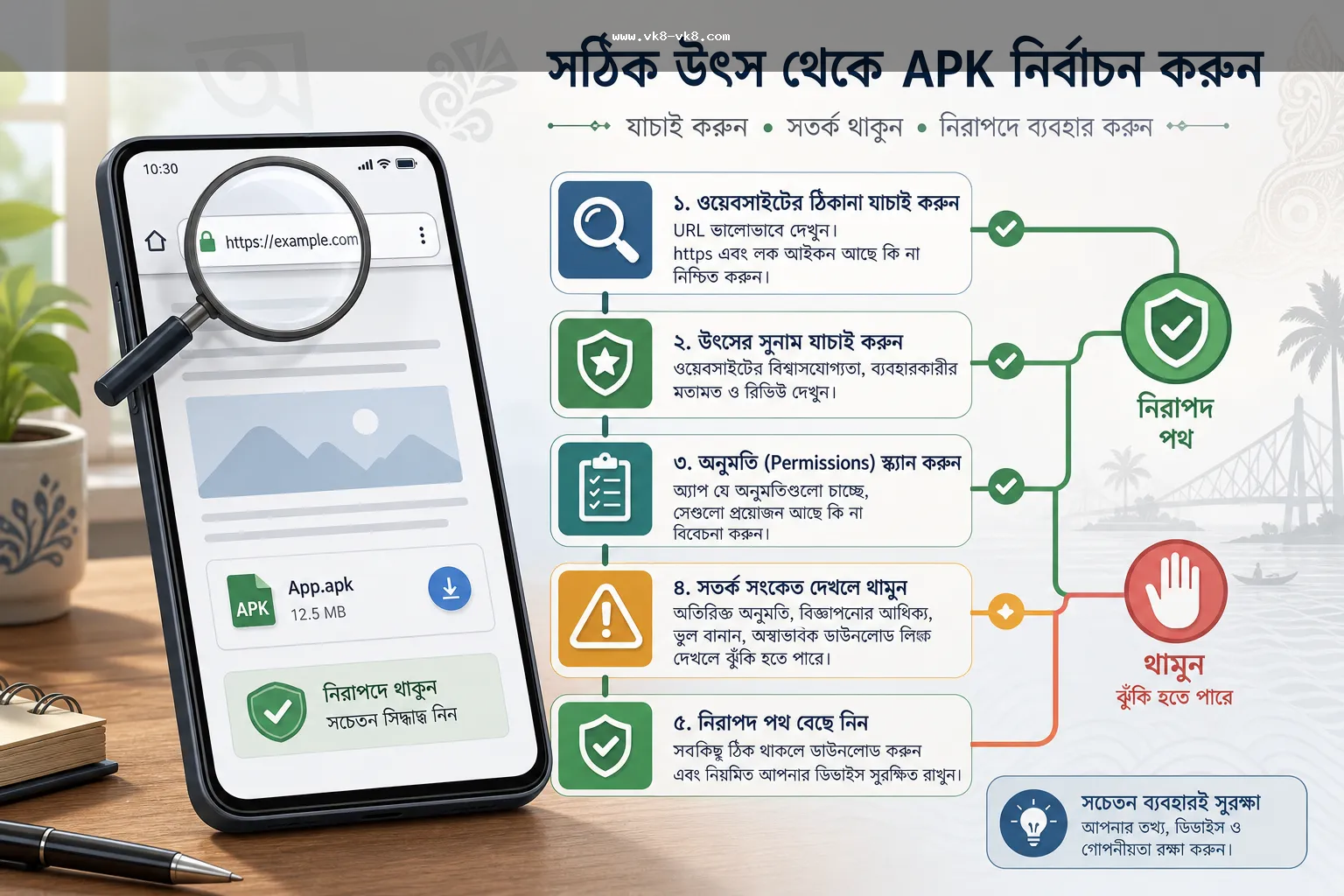
App/APK safety cannot be determined just by looking at the logo or page design. APK flow can also come from similar names, copied landing pages, or social-message links. Therefore, use the decision path below before pressing the install or update button.
| Step | What to verify | Pause signal |
|---|---|---|
| Source | URL, redirect, page title, bookmark, file name | Short link, copied design, unknown mirror, mismatch domain |
| File/update | Version note, date, repeated prompt, browser warning | No version detail or the same update appears repeatedly |
| Permission | SMS, Contacts, Accessibility, overlay, storage, notification | 13. Account step |
| Account | 15. Private chat requests OTP, PIN, password, or KYC file | Requests private chat OTP, password, recovery code, or KYC file |
| Money step | Bonus terms, deposit/withdrawal note, receiver context | 19. Why the Bangladesh mobile context is important |
Bangladesh mobile context
Bangladesh users often use Android phones, shared devices, mobile wallets, low-data browsers, social messages, and live-match timing together. In this reality, app issues are not just technical problems; they can also be account, payment, privacy, and decision-pressure risks.
For example, if you open an app from a shared phone, have browser auto-fill enabled, the wallet app is logged in on the same device, and at the same time see a bonus expiry or deposit notice, then a wrong tap can increase both account and payment risks. Therefore, it is useful to write down the budget, time limit, and stop point before app installation or update.
Concrete scenario: fake APK, login and payment pressure
Suppose a user wants to open the VK8 app before starting a match. A social message comes with an APK link: “You won't be able to log in without the new update.” The page design seems familiar, but the file name is strange, the permission list includes SMS and Accessibility, and after installation, it asks for private support OTP and wallet PIN. At the same time, it shows bonus expiry and urges to deposit quickly.
In this situation, it is not right to continue with the installation. Close the link, take a screenshot, check the destination with a known browser path, do not ignore device warnings, and do not provide OTP, wallet PIN, password, recovery code, security code, or KYC file in any chat or popup. Pause deposit, bonus claim, or withdrawal action until account access is clear.
Permission and privacy checklist
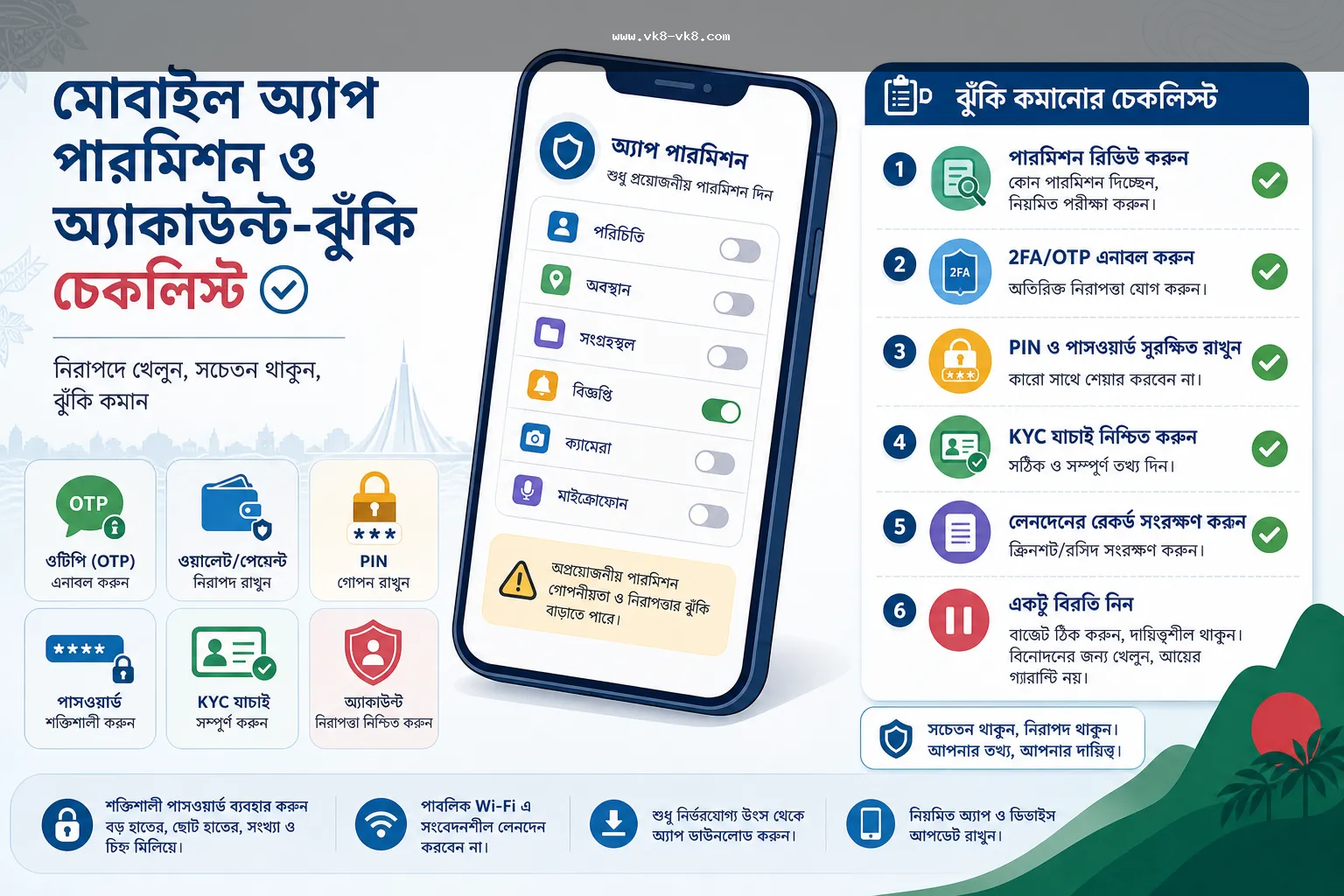
Android permissions are not always bad, but it is important to see if the permission request is related to the app action. If a betting/casino-related mobile page inappropriately asks for SMS read, Accessibility control, contact access, screen overlay, or broad storage access, it could be a high-risk signal.
| Permission or signal | Why it is important | Practical response |
|---|---|---|
| SMS or notification access | OTP and account notice exposure may occur | If you do not understand the purpose, deny it and stop the login step |
| Accessibility or overlay | Screen action or fake prompt risk may increase | Take extra caution; do not install if the source is not clear |
| Contacts or broad storage | Private data exposure may occur | Check if it is necessary with the app function |
| Device warning | Unsafe-app or unknown-source risk signal may exist | Do not ignore warnings and proceed with password/payment steps |
| Private support request | OTP, PIN, password or KYC misuse risk | Do not share sensitive details without a verified path |
App, browser, login: which path to use when
Reading information via browser path before using App/APK is often a safer first step. It's easier to see URL, page title, redirect, and terms in the browser. If deciding to install the app, file source, permission, update date, and device warning must be checked separately. If there is a login issue VK8 Login Security Guide first read and verify OTP, password reset, and support path.
- If you receive a new APK link, cross-check it with previous bookmarks or known destinations.
- Do not approve permissions if you do not understand; stay in browser reading mode instead of installing.
- If login fails, check URL, password, OTP, cache, and network before reinstalling the app.
- If there is pressure for bonus or payment, pause money steps until the app issue is resolved.
- If the phone is shared, check logout, screen lock, saved password, and wallet app exposure separately.
Payment, bonus, and account-risk boundary
No payment method, withdrawal limit, bonus amount, KYC rule, or support contact from this page can be taken as fact. Even if any method label, bonus headline, or support message appears on the app screen, current terms, receiver context, account notice, and recordkeeping must be verified separately. If there are payment-related steps VK8 Payment Methods Guide read and match fee, delay, receiver, reference, and private-data boundary.
If there is a hurry for a bonus, app install or login pressure may increase. If you see any offer, the first rule is: do not claim without understanding eligibility, expiry, wagering/turnover, withdrawal condition, and opt-in timing. If there are doubts about bonus terms VK8 Bonus condition guide read the terms-reading path from.
Source boundary: what is verified, what is not
This refresh's source pack contains general reliable context about Android app safety, device warning, permission/privacy, and responsible use. However, without a reliable current source, VK8's verified APK source, app ownership, operator, license, regulator, support contact, payment method, KYC rule, bonus amount, or withdrawal limit has not been written here as fact.
Multiple VK8-labeled apps or terms pages have been seen in SearXNG search, but different domain proof of the same name is not. Therefore, this guide teaches source-verification habit: check the URL, check the redirect, read the visible terms, separate account/payment prompts, and if uncertain, take no action. If an incident-specific checklist is needed regarding APK update prompts VK8 APK Update Prompt Checklist can be read.
Responsible pause rule
If app problems, bonus urgency, login failures, payment delays, or live market pressure occur together, decision quality decreases. The responsible-use rule is simple: first clear the source and account, then think about money-related steps. If there is irritation, loss chasing, repeated failed logins, or unclear withdrawal conditions, close the session and write down the time limit and budget note. For detailed pause and budget planning Responsible Gaming Bengali guide Check it out.
Quick checklist before action
- Have URL, redirect, page title, file name, and version note been matched?
- Is there a device warning or unknown-source notice visible?
- Is the permission list related to the app action?
- Is it asking for OTP, wallet PIN, password, recovery code, or KYC file?
- Is bonus expiry, deposit, withdrawal, or support pressure rushing the decision?
- Have budget, time limit, and stop point been written down beforehand?
If the answer to any of these questions is unclear, pause actions like install, login, deposit, bonus claim, or withdrawal. The purpose of the app guide is not to push actions; it is to ensure the user can verify the current destination themselves to make safer decisions.
FAQ
No. This page does not provide any download link or verified APK-source claim. It provides a checklist for verifying source, permission, account, payment, and responsible-use.
Check the URL, redirect, page title, file name, version note, device warning, and permission list together. Do not install if there is an unknown mirror, copied design, or unusual permission.
First, clear the warning, source, and account path. If there is a warning or unknown-source signal, pause any actions related to password, OTP, deposit, bonus claim, or withdrawal.
SMS, Accessibility, overlay, Contacts, broad storage or notification access if it does not match the app action, it can be a risk signal. Do not approve if you do not understand the permission.
Do not provide OTP, wallet PIN, password, security code, recovery code, or KYC file in private support channels. If the verified path is unclear, stop account and payment actions.