
If there is a VK8 login problem, the first step is not to repeatedly try the same mistake; first verify the URL, password, OTP, device, browser/app state, and support path separately. If you see a wrong login screen, copied link, repeated OTP prompt, or unfamiliar support message together, it is advisable to pause before providing account details. This guide is a troubleshooting checklist for Bangladesh users; it does not claim any account recovery result, app/download approval, payment support, or withdrawal outcome.
If you are new to VK8, first VK8 Bangla Guide check the entire reading path. Login issues do not occur in isolation; app source, registration details, password habits, payment records, and responsible-use decisions can all be part of the same account flow.
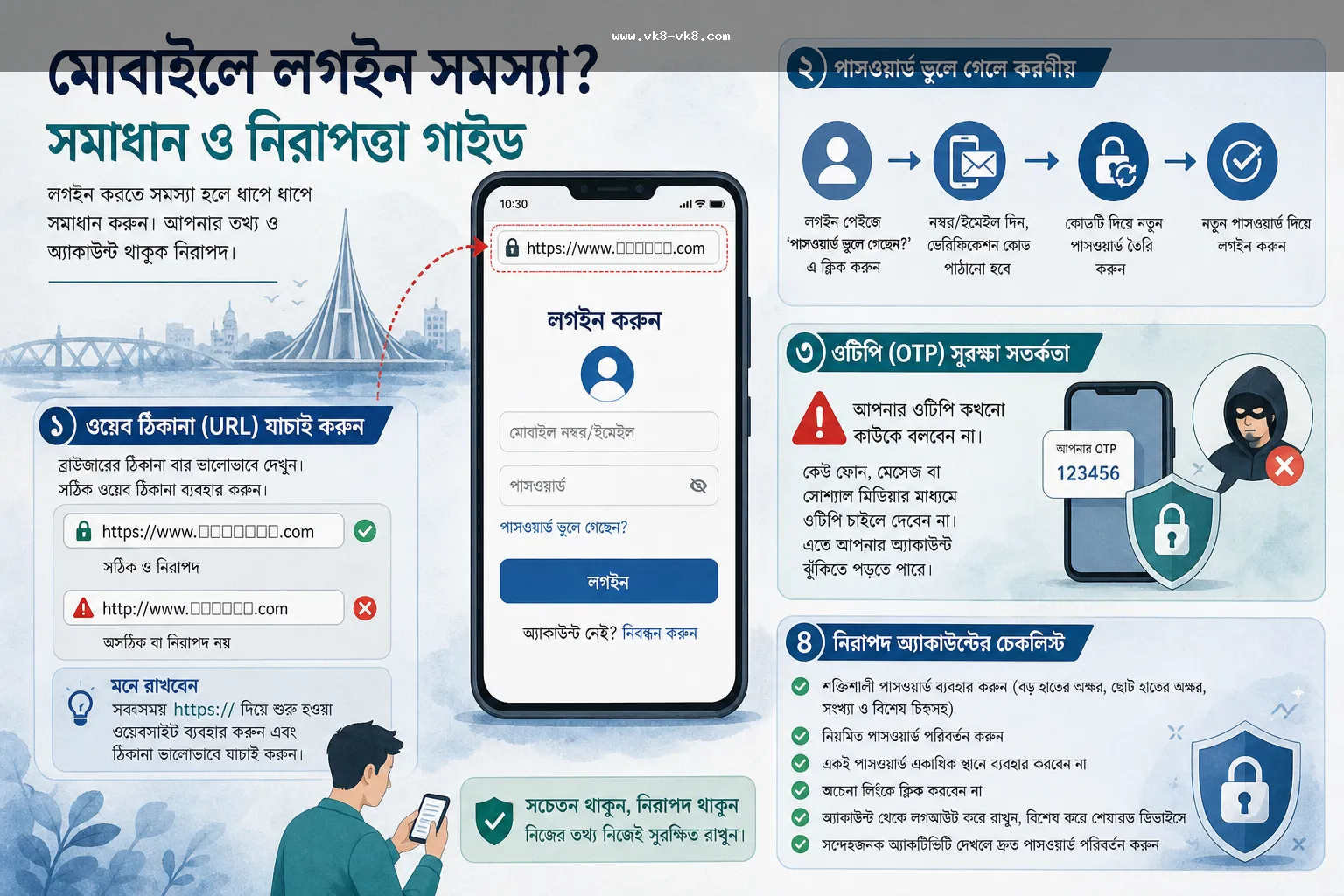
What to understand first when there is a login issue
Assuming that a login failure means the account is locked or the password is wrong is not correct. Often, network delays, browser cache, expired sessions, mistyped numbers/emails, copied URLs, app update prompts, or incorrect recovery paths can show similar errors. Therefore, it is better to keep a small decision log instead of quickly resetting the password or sending sensitive details in a support message.
For Bangladesh mobile-first users, shared phones, low data connections, cricket match timings, wallet transaction pressures, and quick bonus messages can rush decisions. Such pressures are more risky during login problems, as users may mistakenly enter OTP, password, KYC file, or wallet PIN in the wrong place.
Quick troubleshooting table
| Issue | First verification | Pause signal | Next internal guide |
|---|---|---|---|
| Password is not being accepted | Caps lock, saved password, recent reset, correct URL | Reset link came from private chat | Login security guide |
| OTP is not coming or is being requested repeatedly | Phone/SMS access, network delay, expected login step | Unfamiliar support profile is requesting OTP | Register guide |
| The app or APK login screen has changed | Source, version/update note, browser redirect | Unknown update prompt or unusual permission | App / APK guide |
| Login is required to view deposit/withdrawal | Account notice, payment record, cashier instruction | Payment receiver or reference is unclear | Payment Methods guide |
| Repeated failures are causing frustration | Time break, budget limit, stop point | Loss recovery or hurry message | Responsible Gaming guide |
A account-risk scenario
Suppose a user cannot log in before the match starts. He opened a link received from a social message, where there is a login form that looks like VK8. After entering the password, an OTP arrives, then a private support profile asks him to send the OTP, wallet PIN, and identity file. At the same time, another message says that if he does not log in quickly, the bonus will expire.
In this situation, the problem is not just login; here copied screen, repeated OTP prompt, fake support risk, bonus pressure, and payment credential are combined. The safe decision is to close the link, verify the destination with your bookmark or typed URL, check the password reset path separately, and not provide OTP, PIN, recovery code, or KYC file in any public/private chat. Bonus or payment action can be done later; if account credential leaks, the damage can be significant.
Eight checks before trying to log in again
- Check if the browser address, page title, and redirect path match.
- Verify if the saved password auto-fill is providing the wrong account or an old password.
- Understand if the OTP received is part of the expected step; do not provide OTP to an unknown support channel.
- If it's a shared phone, manage saved passwords, notification previews, and screen lock control.
- If it's an app/APK, view source, version/update prompt, and permission requests separately.
- If there are account notices, KYC requests, or restriction messages, take a screenshot and note the time.
- When logging in to view payment or withdrawal, first write down payment records, references, and receiver context.
- If there is frustration, hurry, or loss recovery pressure, take a 10-minute pause before making a decision.
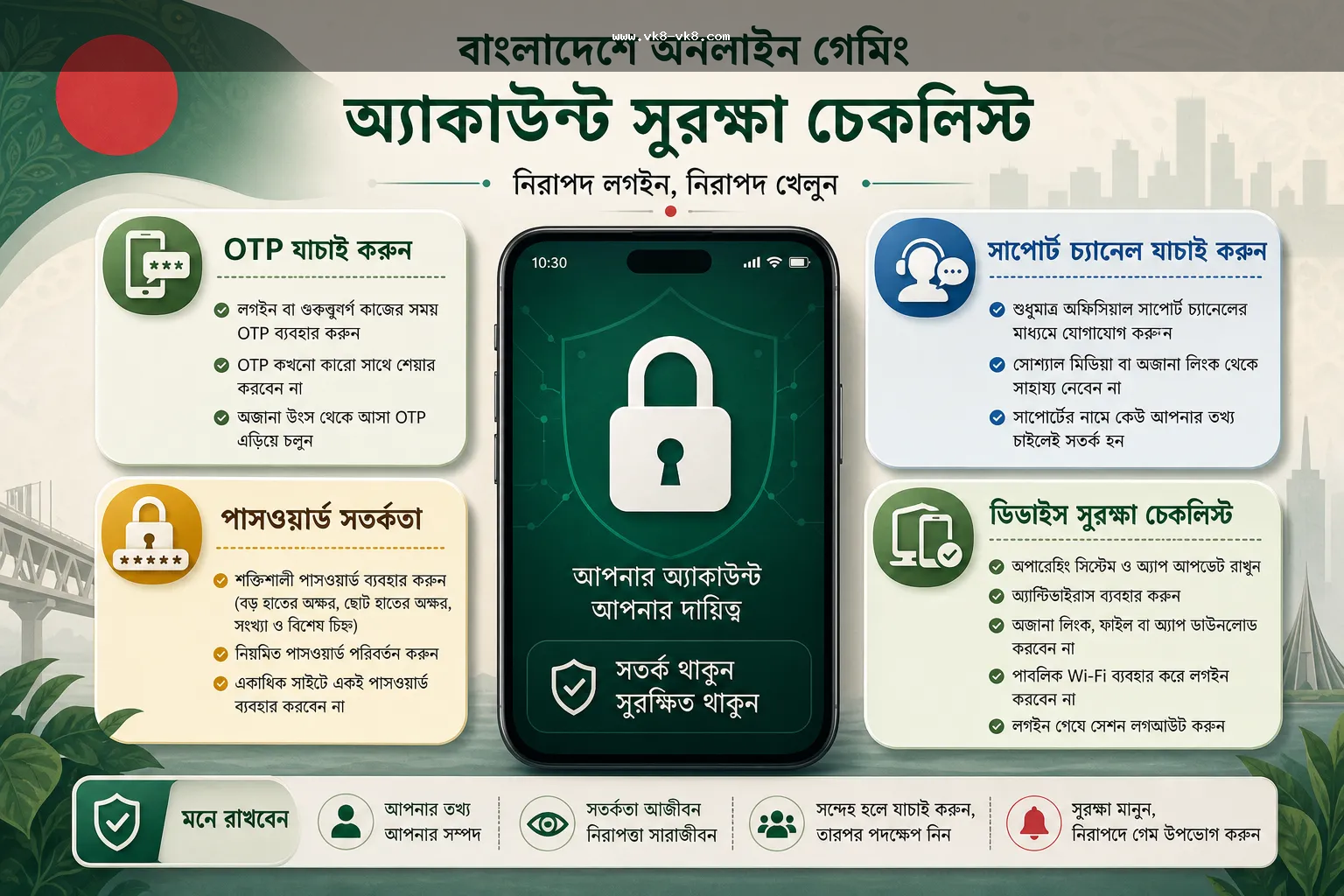
Keep passwords, OTPs, and recovery details separate.
If there is a password issue, many quickly search for a reset link. However, one should not proceed without understanding where the reset link came from, whether it is redirecting in the same browser session, and who can see the recovery details. If you have a password manager, check for any incorrect saved entries; if not, write a new password and store it securely without sharing it anywhere.
OTP is one of the most sensitive parts of the login flow. If the OTP is requested by someone, a group, a comment, an inbox, a Telegram/WhatsApp profile, or an unknown support path outside the expected page, stop and consider it a high-risk signal. The same rule applies to wallet PINs, recovery codes, NID/KYC files, and screenshots.
Check device and app source.
If the login issue is from the app or APK, check the source and permissions before reinstalling the app. Multiple APKs with the same name, mirror pages, or update prompts may appear; just matching the logo does not make the source trusted. Note if the device is rooted, outdated, shared, shows malware alerts, or if the app is requesting irrelevant permissions.
When logging in via a mobile browser, you can test by clearing the cache, using a private window, changing the network, or typing the URL. However, check the current notice to see if repeated attempts could lock the account or trigger a security review. One should not assume a fixed recovery time or guaranteed access.
If there is pressure regarding payment and bonuses, proceed even more slowly.
Many login problems actually arise when payment, withdrawal, or bonus deadlines are approaching. Users then want to quickly open their accounts to check deposit records, bonus progress, or withdrawal status. This rush increases the chances of fake links and fake support. If unable to log in, first ensure credential safety; decide on payment or bonus later.
No payment method, processing time, withdrawal result, or bonus eligibility is stated here as a permanent fact. These can change according to current cashier instructions, account notices, visible terms, and user records. If there are money-related steps, keep the amount, reference, receiver context, screenshot, and time note separate.
Editorial verification note.
Before writing this article, account security, app/device safety, wallet credential caution, and responsible-use context were kept in a separate source pack. No reliable source was found that confirms specific app downloads, operators, licenses, payment support, or recovery timing for VK8. Therefore, no permanent claims on these matters were made in the visible content.
The main editorial rule has been maintained without weighing down the article with an external link list: users should verify their current destination, login form, support path, app/update prompt, payment notice, and their device state themselves. Where information can change, check-first wording has been used instead of final claims.
When to stop support or action.
A single signal is not always dangerous, but if multiple signals are seen together, action should be stopped. Examples: unfamiliar login URL, repeated OTP, urgent bonus wording, private support request, payment receiver mismatch, unusual app permission, or requests for KYC files under the guise of account review. In such situations, the main task is to stop credential leaks before solving the login problem.
Next reading path.
To understand the login flow, first VK8 Login Security Guide read this. If you have doubts about the app or APK source VK8 App / APK Bengali Guide, if you have hesitation about creating an account VK8 Register Guide, and if there are money-related steps VK8 Payment Methods Guide check this first.
FAQ
Before entering the same password repeatedly, verify the URL, saved password, network, OTP step, device state, and support path. Do not provide sensitive details in forms coming from unknown links or private support messages.
No. OTP, wallet PIN, recovery code, or KYC files should not be given to unknown support channels. First, compare the expected login flow and the current page yourself.
Before reinstalling, check if the source, version/update prompt, permission request, and browser login are failing in the same way. If you see an Unknown APK or unusual permission, pause the installation.
There is more risk on a shared phone. Without screen lock, notification privacy, saved password control, and logout habits, account detail exposure can occur.
First, clarify account access and credential safety. If there is login confusion, a hurry message, or unclear payment receiver, stop deposit, bonus claim, or withdrawal action and verify current terms and records.